

- Bolt.new: An AI-assisted development platform by StackBlitz that enables instant scaffolding of fullstack web apps using natural language prompts. It supports both frontend and backend logic, with built-in support for React, Node.js, Express, Supabase Edge Functions, and more.
- Supabase: An open-source Firebase alternative offering a scalable backend, database, and serverless Edge Functions. It’s ideal for deploying APIs securely and integrating them seamlessly with frontend apps.
- Dappier: A platform that connects LLMs and agentic AI applications to real-time, rights-cleared data from trusted sources. Dappier delivers enriched, prompt-ready data across domains like finance, news, and web search—making it ideal for real-time applications.
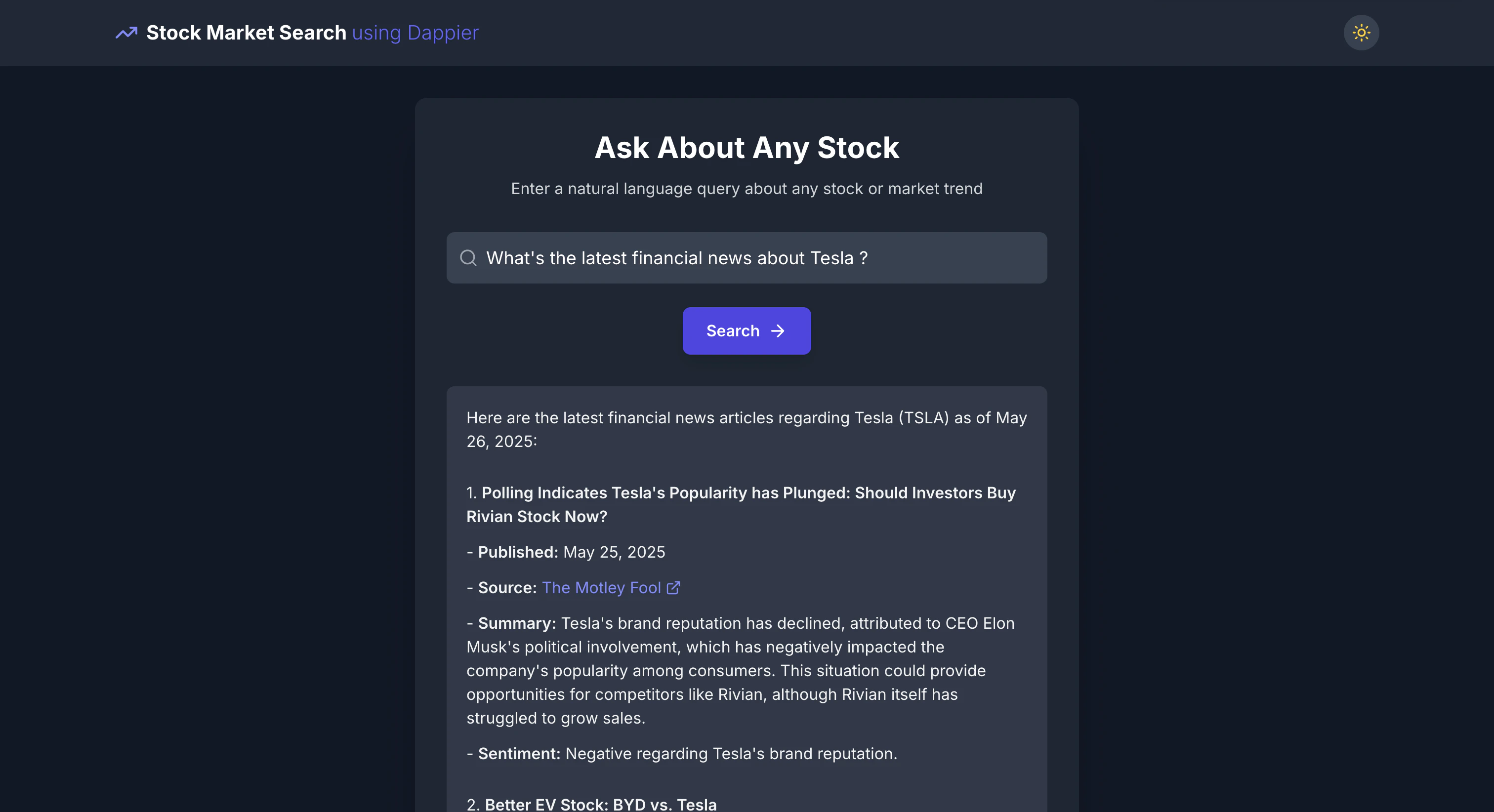
- Real-Time Stock Market App: A frontend + API application where users can enter a stock ticker or company name to retrieve the latest stock price and financial news using Dappier’s AI model, optionally routed through a Supabase Edge Function for deployment on Netlify or Vercel.
Watch the Video Guide
If you prefer a visual walkthrough, check out the accompanying video guide below:🔍 Live Demo
Want to see the app in action or explore the code behind it?- 👉 Try the live real-time stock market explorer: https://teal-peony-ae1f3a.netlify.app/
- 🛠 View the source code directly on Bolt.new: https://bolt.new/~/sb1-v4qi4fca
What's going on with AAPL today?Show me the latest on TSLANews and stock price of Google
🚀 Getting Started: From Prompt to Deployment
To build and deploy your real-time stock market app using Bolt.new and Dappier, follow these structured steps:🧾 Step 1: Generate the Frontend App on Bolt.new
- Open https://bolt.new in your browser.
- Paste the following prompt exactly as it is into the Bolt.new interface:
- Click Submit and wait for Bolt.new to scaffold your frontend application.
🔗 Step 2: Connect Bolt.new with Supabase
Once your frontend application is scaffolded, follow these steps to link it with your Supabase backend:- In the Bolt.new interface, click on the Integrations button located in the top-right corner of the screen.
- From the available integrations, select Supabase.
- Authenticate with your Supabase account if prompted.
- Grant access to your organization and select the appropriate Supabase project from the list.
⚙️ Step 3: Create a Supabase Edge Function for Real-Time Search
Now that your frontend is ready and connected to Supabase, use the following prompt in Bolt.new to generate the backend logic:stockSearch Edge Function within your Supabase project.
You can now wire your frontend to call this function and render the live results from Dappier.
🔐 Step 4: Configure Your Dappier API Key
To authorize your Supabase Edge Function to access real-time financial data from Dappier, you need to generate and securely store your API key. Follow these steps:- Go to the Dappier API Key Portal: 👉 https://platform.dappier.com/profile/api-keys
- Sign in or create a free account.
- Copy your personal API Key from the Settings → Profile page.
-
In your Supabase dashboard:
- Navigate to your connected project.
- Go to Functions → Edge Functions.
- Open the Secrets tab.
-
Add a new secret with the key:
and paste your API key as the value.
- Save the secret and redeploy your Edge Function if needed.
🚀 Step 5: Deploy with One Click
Once your frontend and Supabase Edge Function are set up:- In Bolt.new, click the Deploy button located at the top-right corner of the editor.
- Bolt will automatically build and deploy your app to Netlify.
- After deployment, you’ll see a link to Claim your app on Netlify — click it to connect the project to your Netlify account and manage it going forward.
🌟 Highlights
This cookbook demonstrated how to build a real-time stock market search by combining Bolt.new, Supabase, and Dappier. It provides a fast, browser-based setup that showcases a practical application of AI-generated fullstack apps powered by real-time financial data. Key tools utilized in this cookbook include:- Bolt.new: An AI-assisted development platform that allows developers to create, edit, and deploy fullstack applications directly from the browser with natural language prompts. It supports frameworks like React, Node.js, Express, and Supabase Edge Functions.
- Supabase: An open-source backend platform that enables secure, serverless function execution via Edge Functions. Used here to route real-time queries to Dappier’s API with proper authentication and scalable deployment.
- Dappier: A platform connecting LLMs and agentic AI applications to real-time, rights-cleared data from trusted sources, including stock market data, financial news, and web search. It delivers enriched, prompt-ready data ideal for intelligent applications.
- Real-Time Stock Market App: A frontend + Edge Function application that takes user input (company name or ticker) and displays live stock price and news, rendered as Markdown from the Dappier API.